
Add your properties
Create a home for each rental and its units, with a ready-to-use rental chart of accounts.
Explore properties| What matters | RentariIQ | QuickBooks Online |
|---|---|---|
| Accounting focus | Rental property bookkeeping | General business accounting |
| Property reporting | Native property and unit assignments | Configure a suitable tracking workflow; class and location availability depends on plan |
| Rental chart of accounts | Included at portfolio setup | Configure categories for your rental business |
| Mortgage records | Loan, escrow and payment templates together | Configure the accounts and payment split workflow |
| Tax preparation | Schedule E and Form 8825 preparation reports | Review your rental reporting workflow with your accountant |
| Choosing a plan | Unlimited properties in one portfolio plan | Evaluate current plans and tracking requirements |
Compare the tools against your own workflow. Features and plan availability can change. Reference: Intuit documentation on class tracking.
From setup to your first report
Create a home for each rental and its units, with a ready-to-use rental chart of accounts.
Explore propertiesAdd bank, credit card and loan accounts. Upload statements to gather your transactions.
Explore accountsReview the import feed, save rules for repeating entries and split mortgage payments.
Explore bookkeepingRun income, cash flow and tax preparation reports for the portfolio or an individual property.
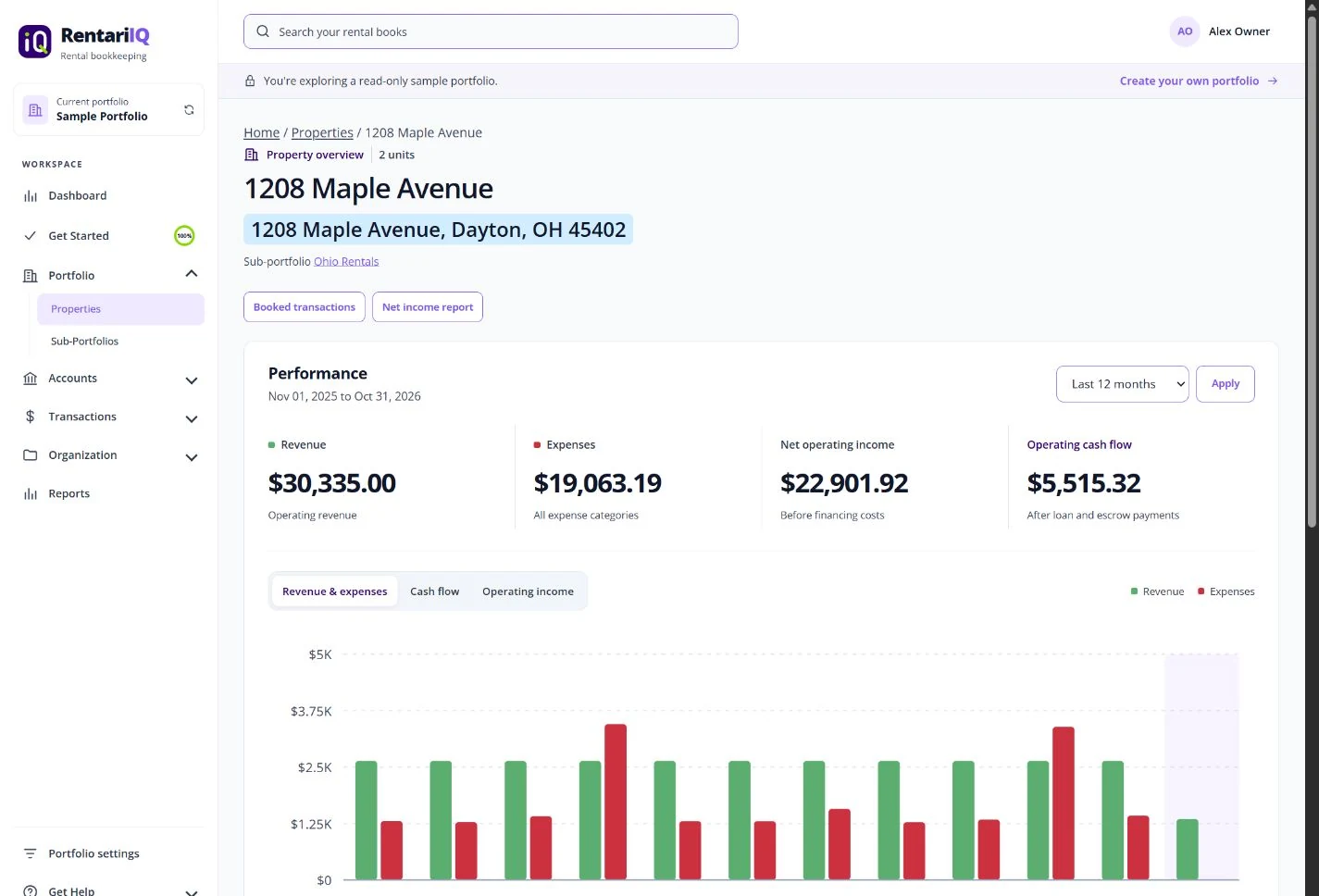
Explore reportsFrom the portfolio to the detail
Each property has its own view of income, expenses, loans and records. Built-in reports let you compare performance or export a set for your accountant.
Your rental bookkeeping, together
14 days. Every feature. No card needed.